

Then vs. Now
As technology evolved, so did the ways the university operates and serves its community. These comparisons highlight changes in campus computing, student services and everyday technology use across generations.

Class Registration

1950s
Students registered for classes on campus on an assigned day. Each course section was represented by a physical card, and students requested their desired classes at the counter, with alternates ready in case sections were full. After collecting a complete set of class cards, students finalized registration. This process could take several hours to complete.

1986-Early 2000s
Students gathered course and section codes from the Undergraduate Catalog. Once their desired schedule was created, students dialed a dedicated phone number at their assigned time, which could be late into the night or early in the morning. Once connected, they entered class codes one by one, adjusting quickly if sections were full. Heavy call volumes sometimes overwhelmed the campus phone system during peak registration times.

Now
Class registration is now completed online through the Howdy portal. Students can review degree requirements, add and drop courses, and schedule using the Schedule Builder option on one system. This digital platform allows students to register from anywhere and reduces the time and effort for registration.
Receiving Hardware

1990s
In the 1990s, Texas A&M received desktop computers from Gateway, easily recognized by their cow-spotted boxes. Receiving a small number of computers could reach the height of a person.

Now
Advancements in hardware allow computers to deliver much greater computing power in a much smaller physical space. A shipment that once only held a few desktop computers can now contain dozens of devices such as laptops, monitors, and other equipment. Smaller, lighter hardware has changed how technology is deployed across campus.
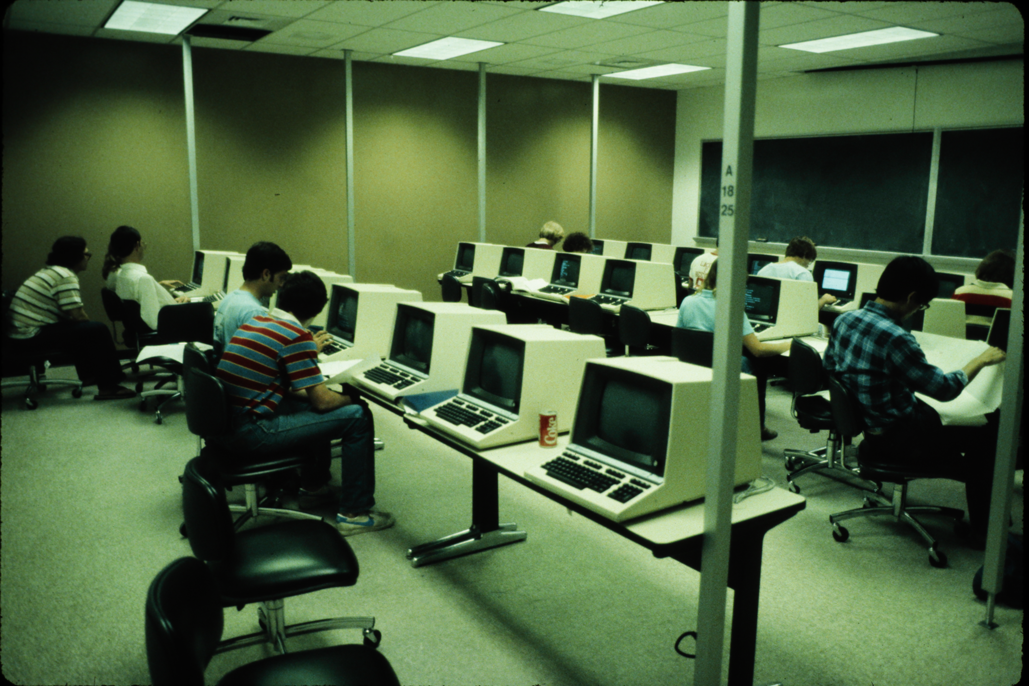
Computer Labs
1980s
Computer labs were often the only place students could use a computer. Work was saved locally on the computer's hard drive or on external media such as portable hard drives. Storage was limited, and students were responsible for managing and carrying their work.

Now
While shared labs still exist, computer labs now support a more flexible and mobile experience. Students now often bring their own computers and use labs as collaboration spaces. Students using lab computers can store their data in the cloud and access it remotely from another computer later.
DPC→CSC

1980s
The Data Processing Center (DPC) served as the central hub for large-scale computing operations. It housed mainframe systems and supported critical administrative and academic processing.

Now
The Computing Services Center focuses on user-facing technology and support. It is a central location for campus computing assistance and now houses the IT Help Desk, providing support for students, faculty and staff.
Evolution of tamu.edu
tamu.edu has evolved over time to better serve the public. As web standards and user needs changed, tamu.edu expanded to provide clearer direction to academic, administrative and student resources.

1997

1999-2002

2002-2005

2006

2011

2016-2023

2024-Present
Evolution of IT.tamu.edu (or CIS.tamu.edu)
CIS.tamu.edu served as the primary website for Computing and Information Services, providing campus members with information about IT resources, services and updates.

1998

1999

2004

2005

2012
The website eventually transitioned to IT.tamu.edu, offering a more centralized and user-focused location for technology services, support, and information for the campus community.

2014

2015

2019

2025
Last Modified: September 1, 2026